Scan the QR Code at Your Seat
Look for the MovieQuick QR code displayed on your seat, armrest, or at the screen entrance. Open your phone camera and point it at the QR code. The menu opens instantly in your browser. No app download needed.
- Find the QR code at your seat or screen entrance
- Open your phone camera and scan the QR code
- The menu opens automatically in your browser
- No app download or registration required
- 3 Enter Your Screen and Seat Number
- If it is a Theatre QR enter your Screen Number and Seat Number.
- If it is a Screen QR enter your Seat Number only. Your screen is already set.
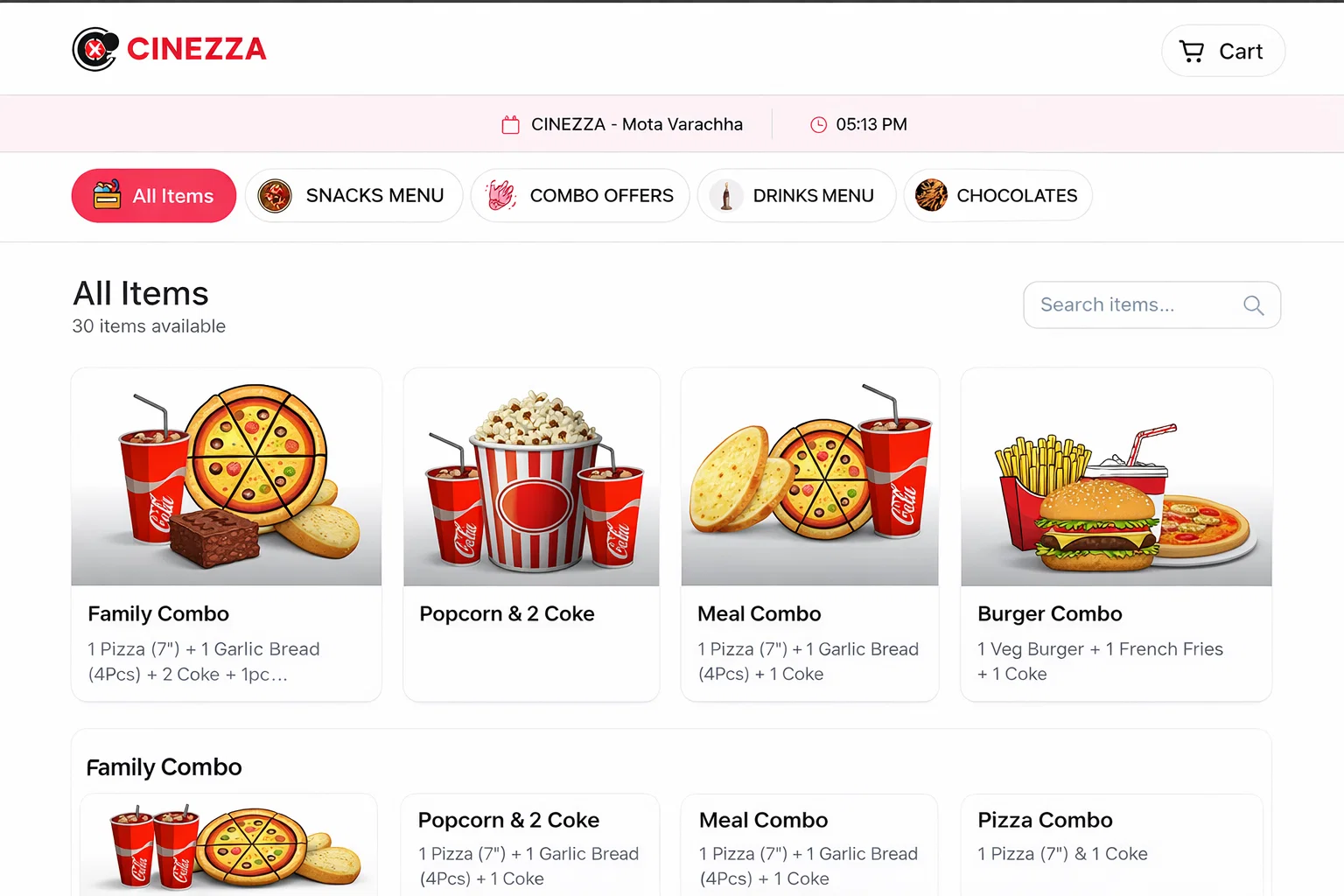
Browse the Digital Menu
Explore the full menu organized into easy-to-browse categories like Snacks, Beverages, Combos, and more. View item images, descriptions, and prices before ordering.
- Browse through organized food categories
- View item images and full descriptions
- See prices and any available special offers
- Only items currently available are shown
Add Items to Cart
Tap on the items you want to add to your cart. Adjust quantities using the + and − buttons. Review your cart total before proceeding.
- Tap the add button on any item
- Adjust quantities with + and − buttons
- Your cart updates in real-time with running total
- Review your full cart before placing the order
View Special Offers and Combos
Check out special offers, combo deals, and limited-time promotions on the menu. These are highlighted so you can easily spot the best value items.
- Special offers are highlighted in the menu
- See both original and discounted prices
- Combo deals for maximum value
- Limited-time specials are clearly marked
Place Your Order
Review your cart one final time, confirm your items and total amount, then tap Place Order. Your order goes directly to the theatre's counter POS system in real-time.
- Review your complete order and total amount
- Confirm your seat number and screen
- Tap Place Order to submit
- Order is sent instantly to the counter
Get Order Confirmation
After placing your order, you receive an instant confirmation on your screen. You will see your order number and current status. Your food is being prepared at the counter.
- Instant order confirmation displayed on screen
- Unique order number shown for reference
- Track your order status in real-time
- No need to go to the counter stay in your seat
Receive Food at Your Seat
Once your order is ready, the theatre staff will bring it directly to your seat. Sit back, relax, and enjoy your food and the movie!
- Food is delivered directly to your seat
- No need to leave your seat or miss the movie
- Order status updates when food is on the way
- Sit back, relax, and enjoy!